08:42
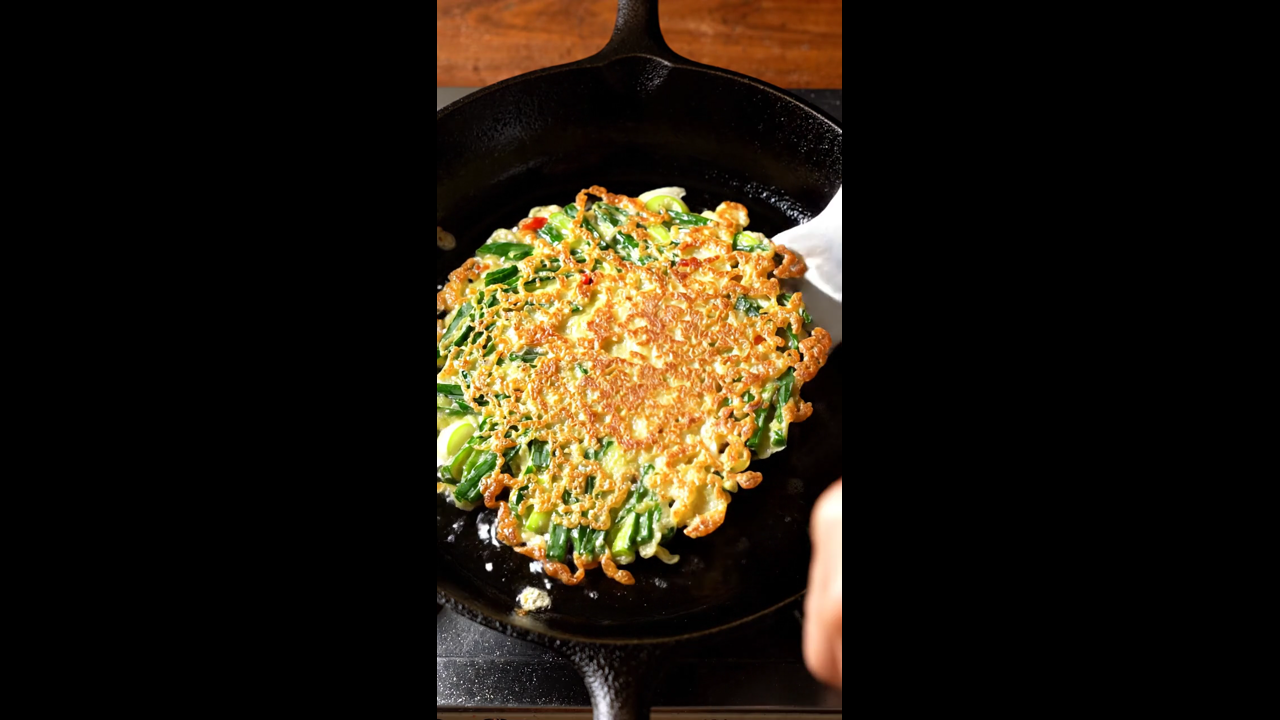
Scallion Egg Pancake
Scallion · Egg · Pan
The recipes you scrolled past, now on your stove
Just paste a link. ReciGom gets the ingredients, steps, loop playback, and shopping list ready.




One cooking flow
From the moment you find a recipe to shopping and cooking it, ReciGom connects its core features in one flow.
Italian
2 servings · One pan
Recipe ingredients split into To buy and Have.
Paste a link to a YouTube recipe you love, and ReciGom breaks it into ingredients and steps sized for actual cooking.
When your hands are busy, loop just the step you're on and follow along.
Change the number of servings and every ingredient amount follows.
ReciGom sorts the ingredients into what to buy and what you already have. Check only what you need before you shop.
Three simple steps
Save a recipe you found on YouTube and ReciGom organizes the cooking details from the original video, kept in a form that's easy to make again.
Save a YouTube recipe link in the app. Source videos are supported up to 10 minutes on Free and 25 minutes on Chef.
Title, ingredients, steps, and video context are arranged into pieces that are easy to read while you cook.
Narrow your saves by the things you actually decide on — quick meals, cuisine, equipment, diet, and time.
 Favorites
 Dessert
 Italian
 American
 Seafood
 Potato
 Slow cooker
 Pizza
Pizza Banchan
 Snacks
 Air fryer
 No-cookUnder 30 minutes
 Low carb
 Spicy
Spicy Fruit
Fruit Stir-fry
 Vegan
Vegan Thai
Thai Middle Eastern
 BreakfastKorean
 Mexican
 Chicken
 Eggs
Eggs Cheese & dairy
 Blender
 Dumplings
 Rice & Bowls
 Drinks
 Oven
Oven Grill / roast
 5 ingredients or fewer
 Freezer-friendly
 Finger Food
 Bread & toast
 Braise & Simmer
 Gluten-free
 Vietnamese
 Soups & Stews
 Japanese
 Indian
 Beef
Beef Tofu & beans
 Microwave
 Rice cookerJeon
 Noodles
 Sauces & dressingsOne-pan
 Steamed
 High protein
 Meal prep
 Pasta
Pasta Curry
Curry Boil & Blanch
 Dairy-free
 French
 Baking
 Chinese
 Mediterranean
 Pork
Pork Mushrooms
 Pressure cooker
 Sandwiches & wraps
 Pickles & preserves
 Salads
 One-bowl meals
 One-pot
 Fried
Fried Vegetarian
 Kid-friendlyVegetables
 Porridge & Oatmeal
 Muchim
 Budget-friendly
 Spanish
Plans
Start with Free, and upgrade to Chef when you want to save more.

Chef pricing for your region, purchases, restores, and subscription management are all in the App Store or Google Play.